Smart Clipboard Actions
for Windows
Copy, transform, and paste with intuitive gestures. Double-click to copy, drag-select to transform. 52 built-in actions at your mouse click.
30-day free trial included
Three Gestures. Infinite Actions.
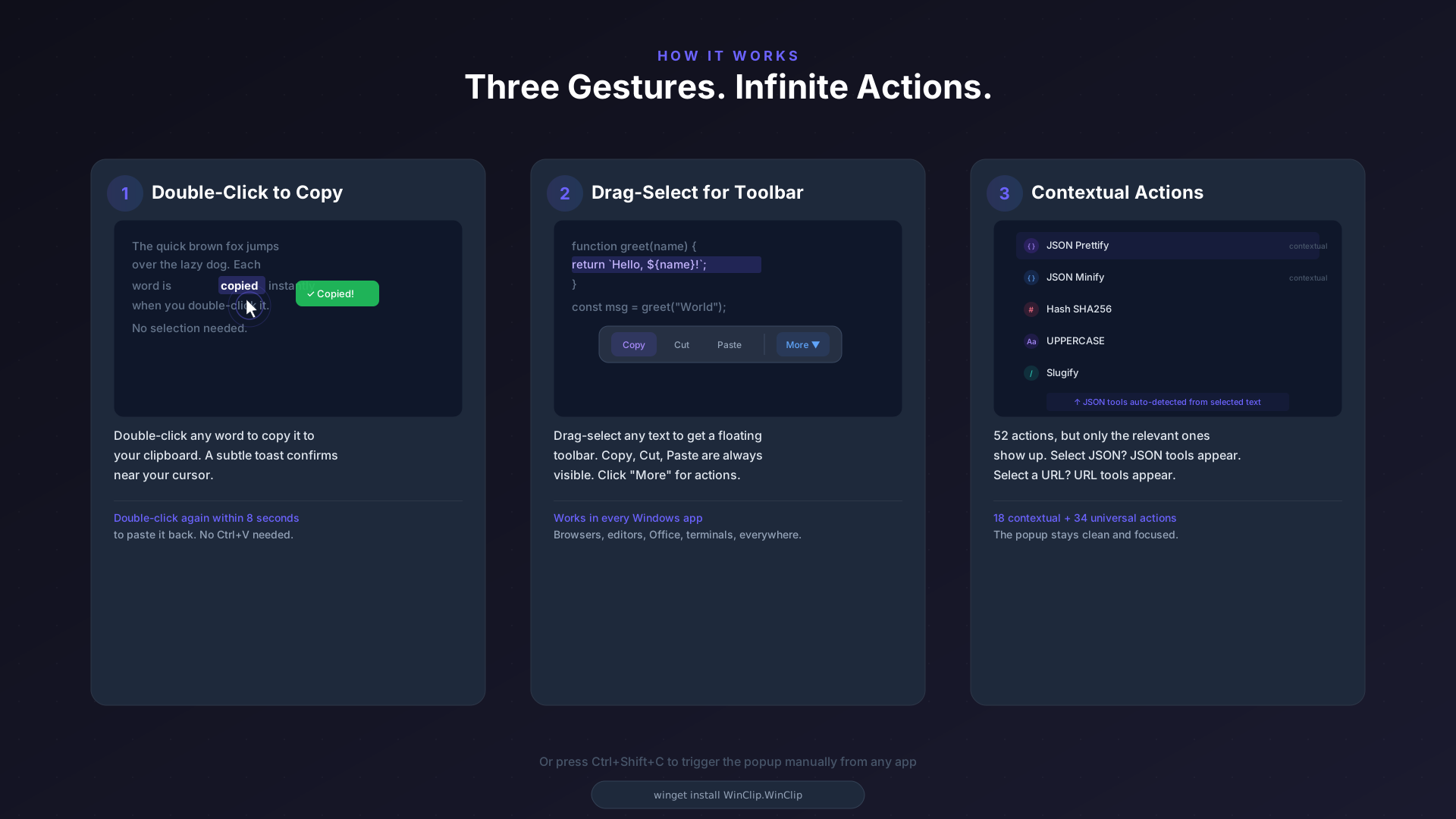
Double-Click to Copy
Double-click any word to copy it to your clipboard. A subtle toast confirms near your cursor.
Drag-Select for Toolbar
Drag-select any text to get a floating toolbar. Copy, cut, paste are always visible. Click "More" for actions.
Contextual Actions
52 actions, but only the relevant ones show up. Select a URL? URL tools appear. Select JSON? Formatting tools appear.
Everything You Need, Built In
52 actions across 9 categories. All built-in. All contextual.
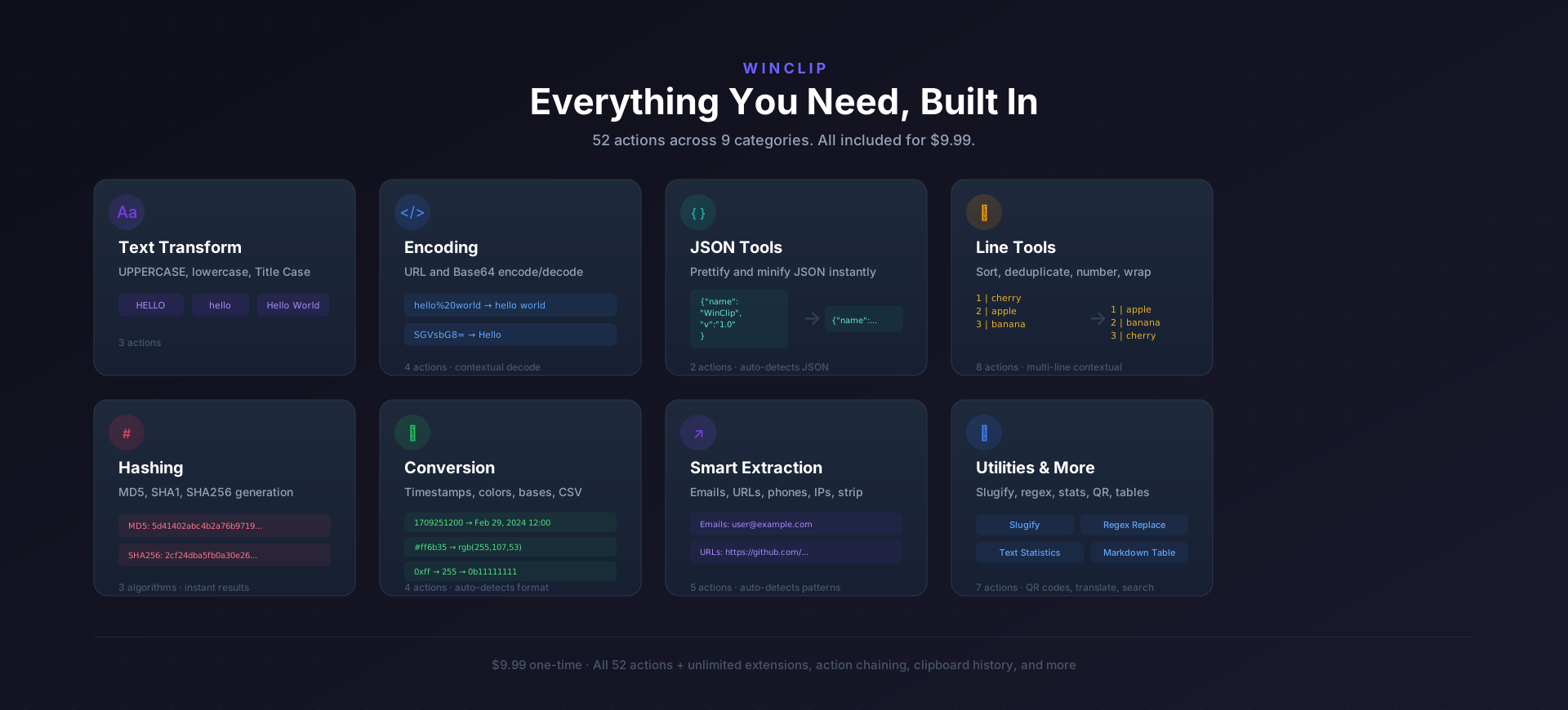
Text Transform
UPPER, lower, Title Case, Sentence, Reverse, Trim, Wrap Lines, Remove Blank Lines
Encoding
Base64 Encode/Decode, URL Encode/Decode, HTML Encode/Decode, ROT13
JSON Tools
JSON Format/Minify, CSV to JSON, JSON to CSV, XML to JSON, YAML to JSON, Base Convert
Hashing
MD5, SHA-1, SHA-256, SHA-384, SHA-512, CRC32
Line Tools
Sort A-Z, Sort Z-A, Deduplicate, Shuffle, Number Lines, Line Count & Stats
Smart Extraction
Extract Emails, URLs, IPs, Phone Numbers, Regex Replace
Conversion
Slugify, Timestamp Converter, Color Converter, QR Code, Markdown Table
Utilities & More
HTML Strip, Markdown Strip, Smart Quotes, Whitespace Normalize, Word Wrap, Translate, Web Search, Dictionary
Designed to Stay Out of Your Way
Gesture-Driven
Double-click to copy, double-click again to paste, drag-select for action toolbar. Works in any app, globally.
6 Visual Themes
System, Light, Dark, Grey, Translucent with acrylic blur, and Glassmorphic. Switch anytime from the tray menu.
Contextual Filtering
The popup shows only what matters. Select a URL and URL tools appear. Select JSON and formatting tools show up.
Plugin SDK
Build custom actions with the NuGet SDK. Load community extensions for unlimited functionality.
Zero Config
Install and go. Runs silently in the system tray. Ctrl+Shift+C for quick access. No setup required.
Auto Updates
Checks for new versions in the background. One-click update when a new version is available.
Built with
Requires Windows 10 or later. Works on both x64 and ARM64.
Install
winget install WinClip.WinClipchoco install winclipscoop install winclipGet WinClip
$19.99 one-time. 30-day free trial.
Get launch pricing
Drop your email. 50% off while supplies last, 20% off after.
Coupon: