 macOS App
Clone the good take.
Record an app demo and Dolly adds zooms where you click, smooths the cursor and gives you a first cut to edit. Adjust the framing, trim the take and add captions before exporting.
No subscription, no cloud, no telemetry. macOS 15 or later, Apple silicon or Intel.
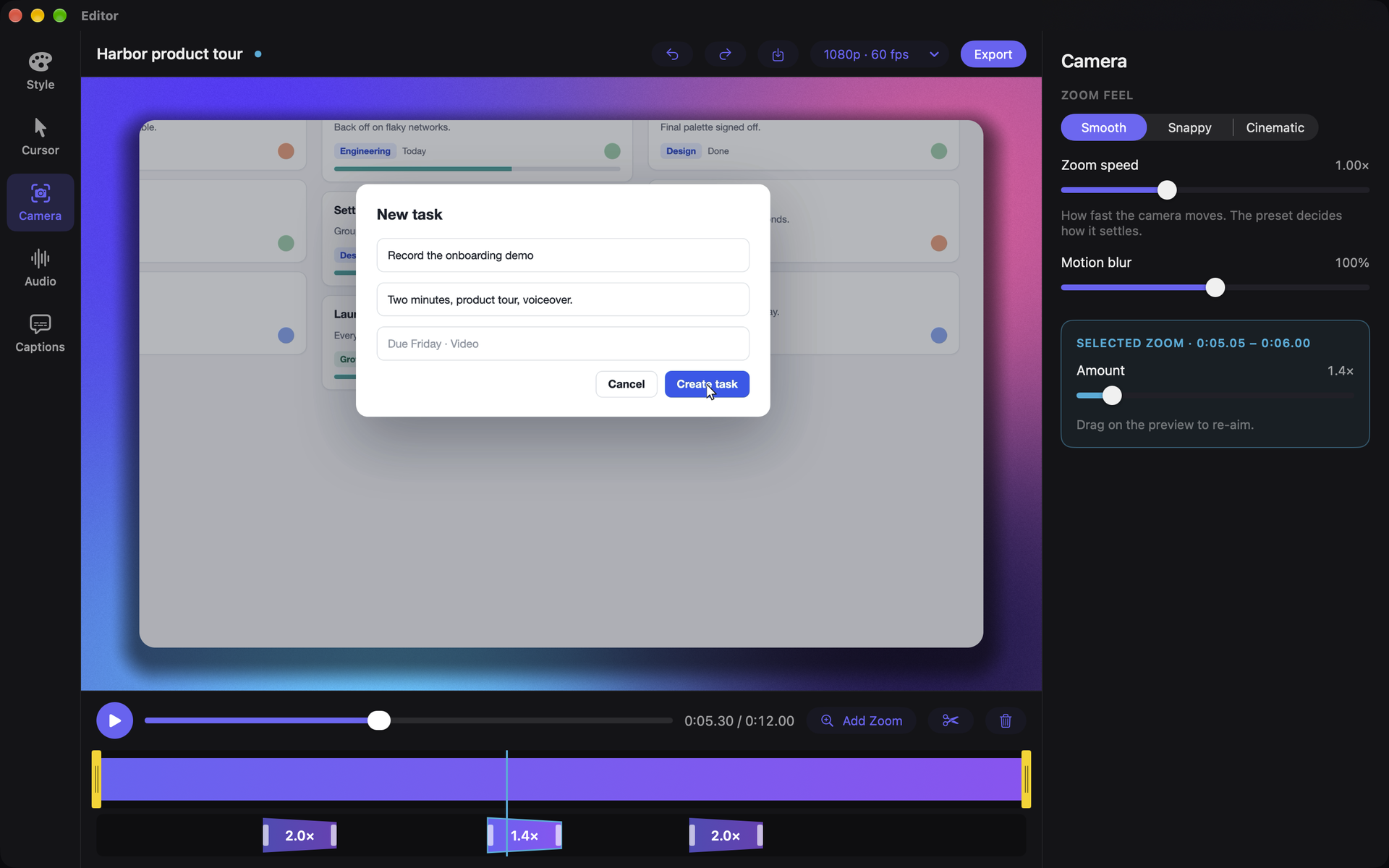
Record once. Dolly starts the edit. You finish it.
Pick a window and record
Dolly captures at Retina scale, so the zooms it adds later stay sharp. The floating control keeps itself out of the shot.
Dolly frames the action
Clicks and typing become zooms and the cursor gets smoothed, so the first edit is waiting when the editor opens.
Adjust what matters
Drag a zoom, trim the take, tune the look and export exactly what you previewed.
Inside the app
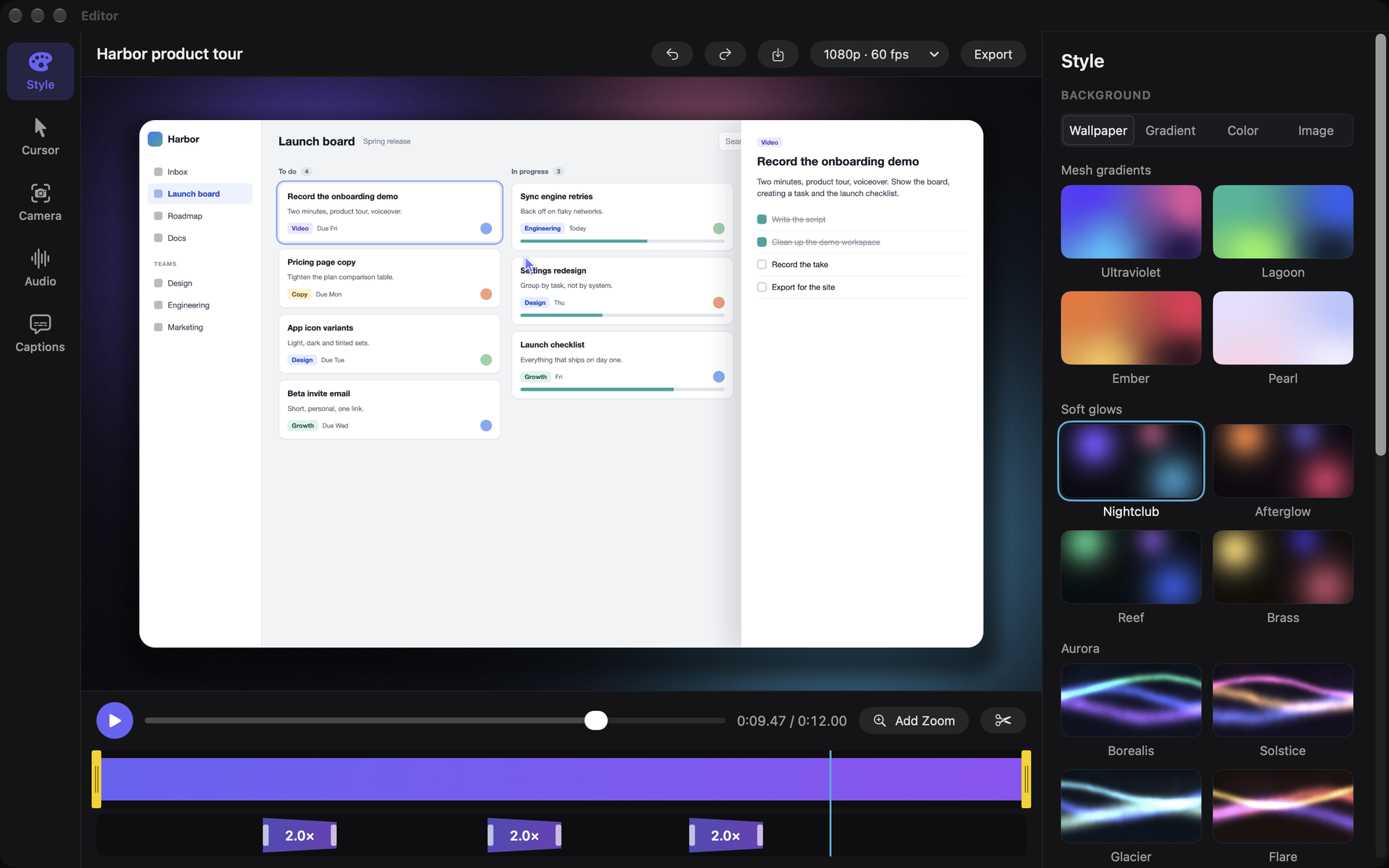
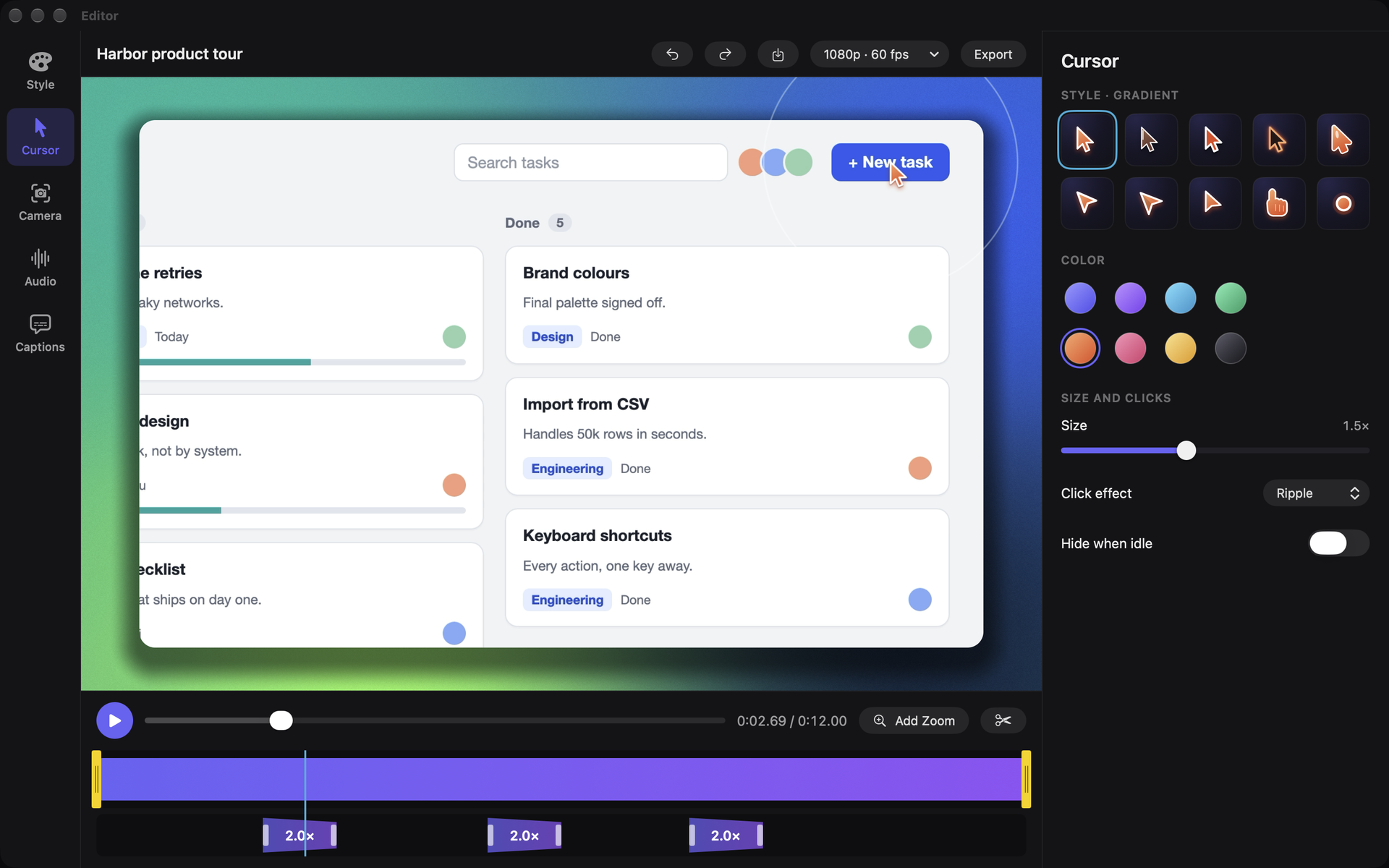
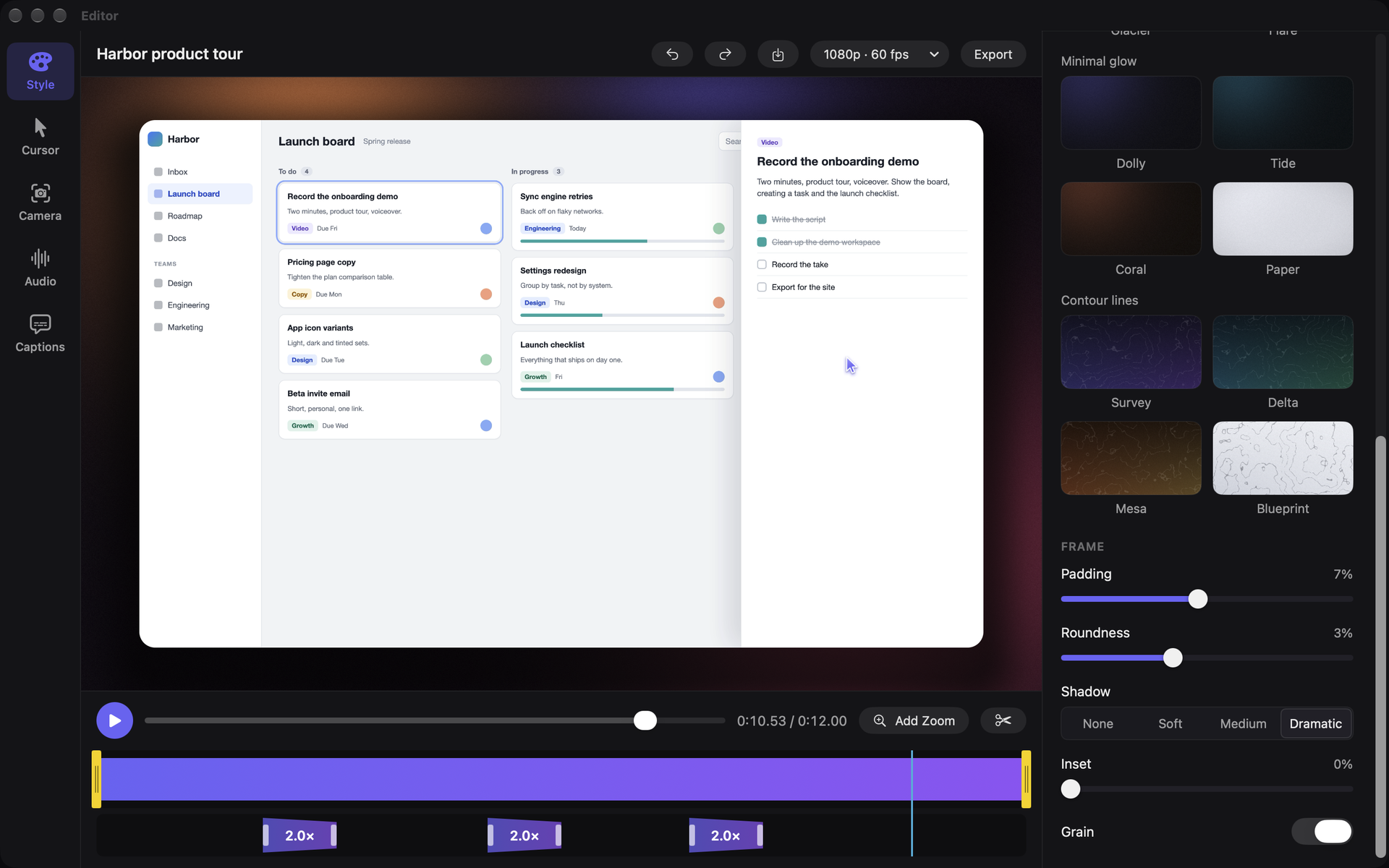
Adjust the picture, sound and captions
Motion with manners
Clicks and typing become spring-smoothed zooms. The camera leads the cursor instead of chasing it, and every zoom can be moved, re-aimed or deleted. Pick Smooth, Snappy or Cinematic.
A frame worth looking at
Choose from twenty wallpapers, a gradient, a solid colour or your own image. Adjust the padding, rounded corners, shadow, glass inset and film grain.
A cursor with some personality
Ten cursor designs in eight colours, drawn sharp at every export size. Click effects highlight each click, and the cursor can hide when it isn't moving.
What you see is what you ship
The preview runs through the same pipeline as the export. Cut, trim and adjust zooms with live playback.
Audio on separate tracks
Microphone and system audio record separately, with a mix you can change later.
Captions made on your Mac
Whisper writes the captions locally and burns them into the video. Pauses show up as suggested cuts that change nothing until you apply them.
Export up to 4K
1080p, 1440p or 4K, at 30 or 60 fps.
Your flock stays home
No account, no analytics and no uploads. Recordings, projects and transcripts stay on your Mac. Keystroke capture can be switched off, and the only download Dolly makes is the optional speech model for captions.
Built with
Requires macOS 15 or later. Apple silicon or Intel.
One good take. One small bill.
$24.99 once, on the Mac App Store. No subscription, no cloud, no telemetry.
No sheep were cloned in the making of this app.