Fluid Timer
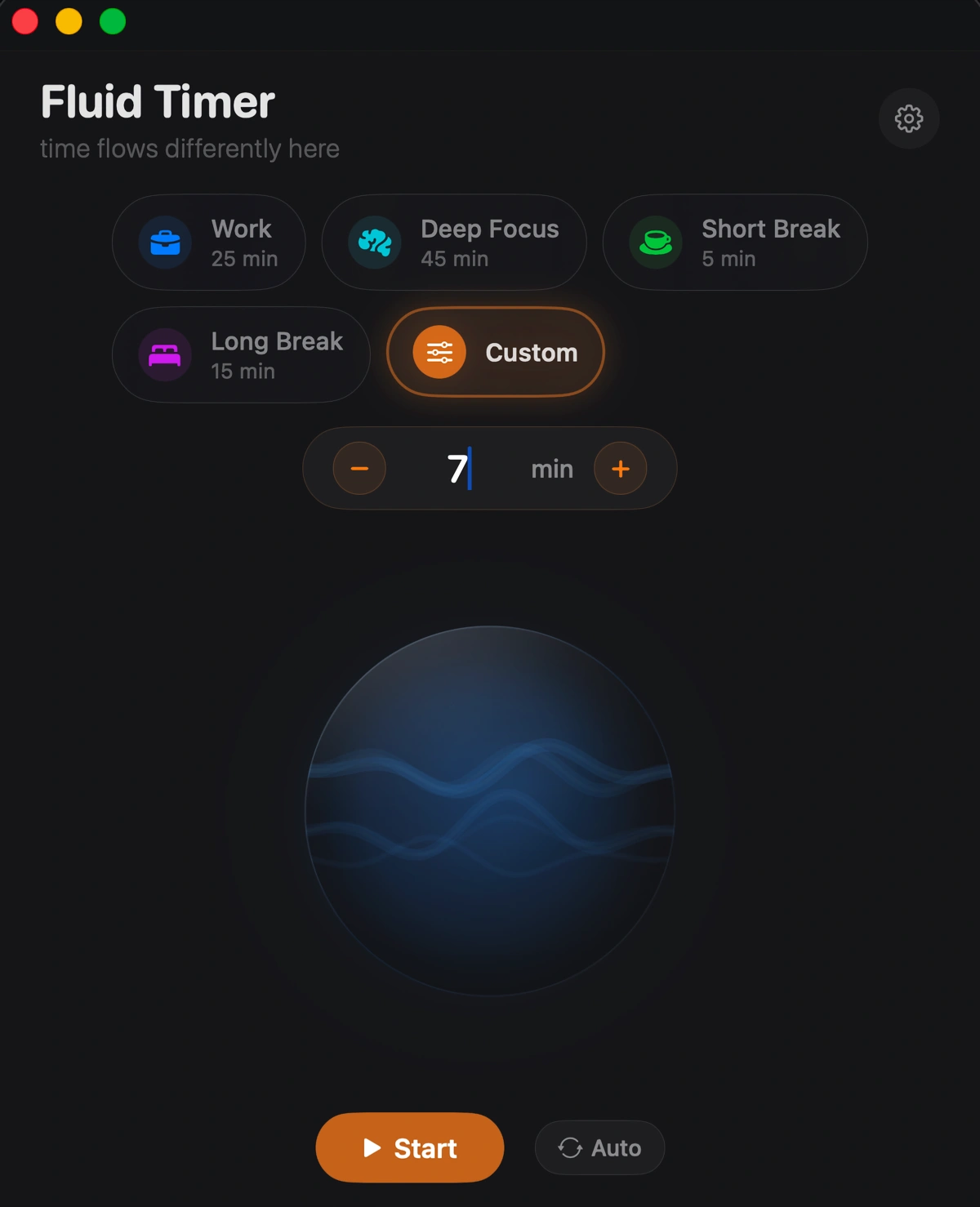
Set a work session, see the time remaining in your menu bar and let Focus Chain start the next break. Fluid Timer keeps work and break timers together, with presets you can adjust to your routine.
Download the trial before buying. $9.99 for a lifetime license.
How it works
Choose a duration
Choose a work or break preset, or start a timer with a custom duration. Each preset has its own name, duration, icon and color.
Keep time in view
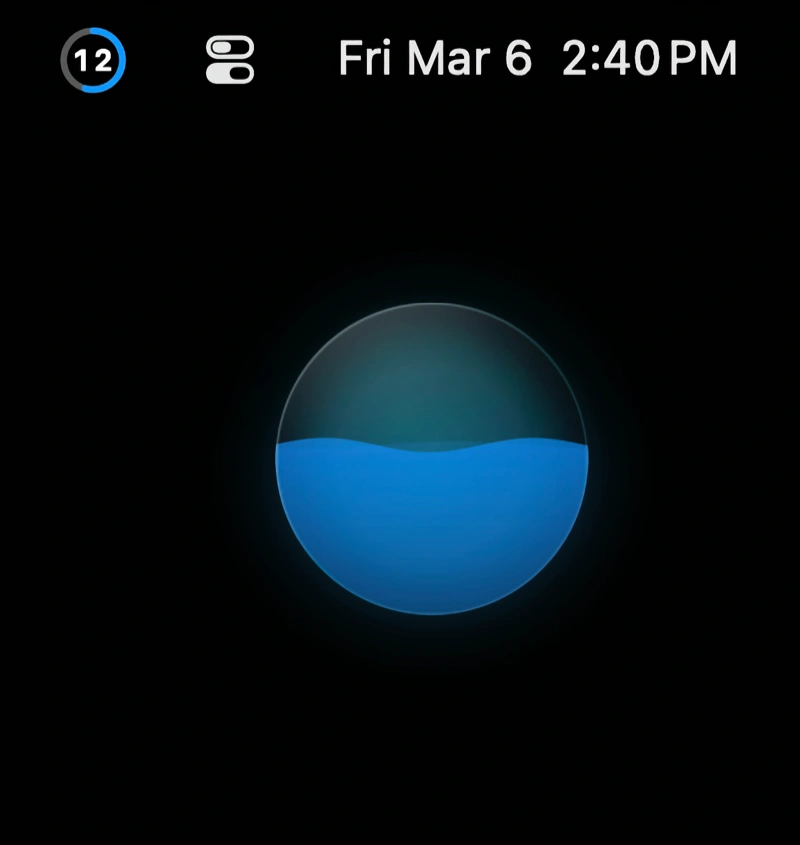
The wave fills as time passes. A progress ring in the menu bar lets you check the timer while working in another app.
Move to the next session
Focus Chain can automatically start the next break or work session. Completed sessions stay in your history, with space for a note.
Features
Liquid Wave Timer
A rising wave shows how much of the session has passed.
Translucent window
A translucent background lets the colors of your desktop show through the timer window.
Focus Chain
Automatically cycle through Work, Short Break and Long Break sessions.
Session History
Review session notes, streaks and a weekly chart, or export your history as CSV or JSON.
Interactive Widget
Control your timer directly from a macOS widget. Small and medium sizes, with full start/pause/stop controls.
7 Siri Shortcuts
Start, pause, resume, stop, check status, start a preset, and toggle. All via Siri and the Shortcuts app.
Do Not Disturb
Optionally silence other notifications during work sessions.
4 Languages
Fully localized in English, Spanish, Japanese, and German. The entire UI adapts to your system language.
Also includes
Keyboard Shortcuts
Built with
Requires macOS 13 Ventura or later. Interactive widget requires macOS 14 Sonoma.
Install
Download the DMG, open it and drag Fluid Timer to Applications. Launch the app to start the 7-day trial.
Get Fluid Timer
$9.99 one-time. 7-day free trial.
Get launch pricing
Drop your email. 50% off while supplies last, 20% off after.
Coupon: